Common Fantech RN1 Troubleshooting Issues and Practical Fixes
The Fantech RN1 is a reliable inline radon mitigation fan, but like any mechanical system, it can occasionally present issues. This guide walks through the most common problems owners face, from unusual noises to performance drops, and offers straightforward fixes you can try before calling a professional.
Why Is My Fantech RN1 Making a Humming or Vibrating Sound?
A sudden humming or vibration from your Fantech RN1 is one of the more alarming issues, but often simple to address. The motor uses a sealed, permanently lubricated bearing design, but debris or imbalance can still cause noise.
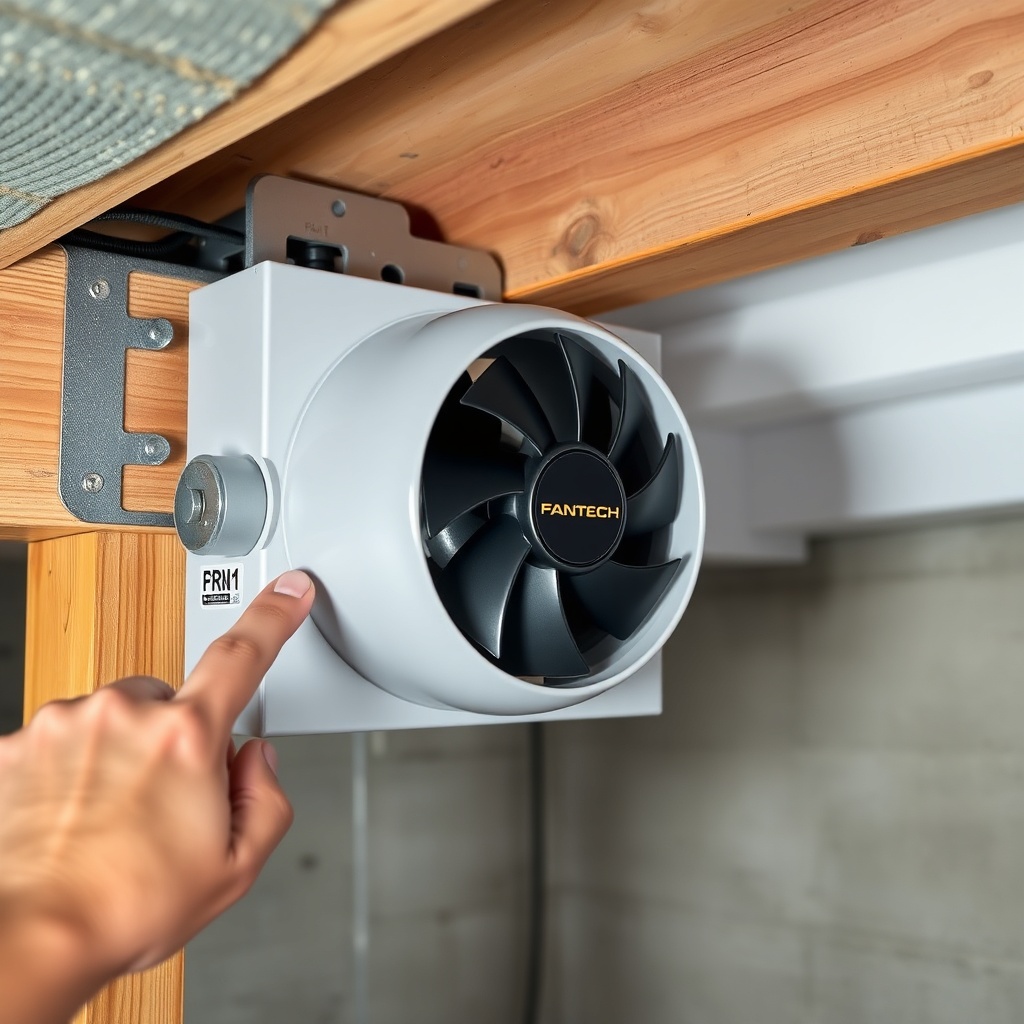
First, check the fan housing for loose debris like leaves, dirt, or insects that may have been pulled into the intake. Next, inspect the mounting brackets and duct connections. Even a slightly loose bracket can transmit vibration through the ductwork, making the noise seem louder. Tighten all screws and clamps, and ensure the fan is securely fastened to a solid surface or joist.
If the noise persists after a physical inspection, the issue could be a failing capacitor or bearing. Listen closely: a low, steady hum is often normal operational sound (around 35-40 dB at 1 m). A grinding or intermittent buzz suggests a mechanical problem. In that case, contact a radon professional to evaluate the motor assembly. For many owners, reapplying the vibration isolation coupling (included with the unit) or tightening the mounting bracket solves the issue.
For step-by-step installation tips that help prevent these issues, see our guide to installing the Fantech RN1.
What Should I Do If the RN1 Stops Spinning or Runs Intermittently?
A fan that stops mid-cycle or runs only sporadically is a serious concern since radon reduction depends on continuous operation. Start by verifying that the fan is getting power. Check the dedicated circuit breaker—tripped breakers are a common cause, especially after storms or power surges. Also test the GFCI outlet if one is used.
Next, examine the fan’s internal wiring connections. The Fantech RN1 has a junction box with a pre-wired capacitor. Loose wire nuts or corroded connections can cause intermittent operation. With the power off, open the junction box and check that all connections are secure. If you see signs of moisture or corrosion, clean the contacts with a dry cloth and apply dielectric grease.
If power and wiring are fine, the thermal overload protector may be tripping. This can happen if the fan is running in an extremely hot attic or if the ductwork is blocked (e.g., a collapsed pipe or animal nest). Clear any obstructions in the suction pit and vent pipe. If the fan still won’t run, the motor windings could be damaged—this usually requires a replacement unit, though a qualified technician can confirm.
How Do I Fix Low Airflow or Reduced Vacuum from My RN1?
Low airflow is the most frequent complaint after noise. It typically means the fan is not creating enough negative pressure to pull radon-laden soil gas from under the slab. Begin by checking the manometer or U-tube gauge on your system. A reading below 0.5 inches of water column (in WC) suggests insufficient vacuum.
Common causes include:
- Blocked suction pit: Debris, mud, or a collapsed soil pipe can choke the intake. Look for any visible blockages in the pit access—sometimes a small grate or screen can become clogged with gravel.
- Damaged duct: Inspect the entire vent pipe from the suction pit to the fan exhaust. Look for crushed sections, especially near bends or under floor joists. A crushed pipe can reduce airflow by 30% or more.
- Fan rotation direction: The RN1 is designed for a specific rotation. Ensure the fan is spinning the correct way (counter-clockwise when viewed from the intake side). A reversed rotation will drastically reduce performance.
- Undersized piping: The RN1 works best with 3-inch or 4-inch pipe. If the system uses 2-inch pipe, the fan may struggle. Consider upsizing the pipe, especially on long runs over 50 feet.
If checking all these doesn’t restore flow, the fan itself may be losing efficiency due to age or internal damage. The typical lifespan of an RN1 is 7-10 years under continuous use. For more details on performance expectations, read our full Fantech RN1 review.
Why Does My RN1 Cycle On and Off or Trigger a Thermal Cutout?
If your RN1 shuts off and restarts after a few minutes, it’s likely hitting the built-in thermal overload protector. This safety feature kicks in when internal temperature exceeds 120°C (248°F). Causes include:
- Operating in an unconditioned attic during summer months (ambient temp above 100°F).
- Insufficient clearance around the fan housing (needs at least 3 inches on all sides).
- Clogged ventilation louvers on the fan casing, restricting airflow across the motor.
- Continuous running under a very high static pressure (above 1.5 in WC) which increases motor heat.
To fix, first improve ventilation around the fan. Move any boxes or insulation away from the unit. If the fan is in an attic, consider adding a small shade or vent to reduce ambient temperature. For high static pressure, you may need to reduce the number of radon suction points or re-balance the system with a damper. If the problem persists, the motor’s thermal switch may be failing—a less common but possible issue.
| Symptom | Severity Level |
|---|---|
| Intermittent humming, no performance drop | Usually not urgent (check mounting) |
| Fan runs but airflow noticeably low | Needs attention soon (check ducts/piping) |
| Fan stops and restarts on its own | Needs attention soon (check thermal/heat) |
| Fan completely silent, no operation | Needs attention soon (check power/motor) |
| Grinding or scraping noise | Needs attention soon (bearing failure) |
| System manometer reads zero | Usually not urgent (reset breaker) |
What Do I Check If the Fantech RN1 Is Blocked by Ice or Frost?
In colder climates, ice buildup inside the exhaust pipe is a known issue, especially where the vent passes through an uninsulated attic or exterior wall. The RN1’s motor is sealed against moisture, but ice can block the airflow, leading to reduced radon removal and potential motor damage.
First, check the exhaust termination point on the roof or side wall. If the pipe is frozen, look for signs of frost coming from the fan outlet. The most effective fix is to add pipe insulation—R-6 or higher for any duct running through cold spaces. For existing systems, you can also install a “radon fan cover” (a small plastic shield) over the exterior termination to prevent snow and freezing rain from entering.
If ice is already blocking the pipe, you can gently warm the pipe with a heat gun (on low) or use a hair dryer to melt the ice. Never use an open flame. In severe cases, a licensed radon contractor may install a heat trap or an inline condensation drain to prevent ice formation. For more on safe radon system operation, review our safety considerations for the Fantech RN1.
How to Diagnose a Fantech RN1 That Runs but Doesn’t Reduce Radon Levels?
This is the most frustrating scenario: the fan is humming, the manometer shows pressure, but radon levels remain high. The problem is usually not the fan itself. Check the following:
- Suction pit damage: The pit under the slab may have cracks, or the gravel may have been washed away over time, reducing radon collection. Resealing the pit can help.
- Improper bypass: If the system has a bypass or vent that allows outside air to mix with the suction, the fan won’t pull from below the slab. Seal all bypass vents.
- Soil gas migration: The radon source may have changed (e.g., new cracks in foundation). You might need additional suction points or a larger fan.
- Exhaust re-entrainment: The fan exhaust is too close to a window, door, or fresh air intake. Relocate the exhaust at least 10 feet from openings and above the roofline.
Always verify with a short-term radon test kit after any repair. If levels persist, have a professional evaluate the entire system design.
What Fantech RN1 Owners Say
Owners of the Fantech RN1 on radon forums and home improvement sites share a few recurring themes:
- “I’ve had my RN1 running for three years without any issue. It’s so quiet I forget it’s there, until I check the manometer.” — Mike S., Michigan
- “My main problem was ice buildup last winter. I added pipe insulation and it’s been fine since. No more cycling off.” — Linda R., Colorado
- “I had to replace the capacitor after five years. It started humming and then stopped altogether. A $15 part did the trick, but I had a pro install it.” — Tom K., Pennsylvania
These real-world experiences align with typical troubleshooting scenarios: most problems are noise or airflow related, and many are solved with simple maintenance rather than major repairs.
Frequently Asked Questions About Fantech RN1 Troubleshooting
How often should I check my Fantech RN1 for problems?
Perform a visual check every 3-4 months. Look at the manometer reading and listen for any unusual noise. Clean the fan intake louvers annually. A more thorough inspection (including the junction box and duct connections) should be done every 2 years.
Can I lubricate the Fantech RN1 bearings?
No, the Fantech RN1 uses sealed, permanently lubricated bearings. Do not attempt to oil or grease them. If bearings fail (grinding noise), the entire fan motor assembly may need replacement, which is often more cost-effective than repair.
What does the thermal overload on the RN1 sound like?
When the thermal overload trips, the fan will stop silently for a few minutes, then restart on its own with a normal humming sound. This cycle repeats until the temperature drops or the trigger condition is resolved. It’s not a click; it’s a cessation of the motor hum.
Will a power surge damage my Fantech RN1?
Yes, power surges can damage the internal capacitor or motor windings. While the RN1 has some surge protection, installing a whole-home surge protector or using a dedicated surge-protected outlet is a wise precaution, especially in areas with lightning storms.
How do I test if my Fantech RN1 is running properly?
Use a manometer. A properly working RN1 should create at least 0.5 in WC (inches of water column) of vacuum under the slab. Also check the exhaust airflow: you should feel a steady stream of air at the roof vent. If you have access, use an anemometer to measure airflow—expect around 120 CFM at 0.5 in WC.
When should I replace the Fantech RN1 instead of repairing it?
If the fan is more than 7 years old and has a major motor failure (like seized bearings or burned windings), replacement is usually cheaper than repair. Also, if internal wiring is damaged due to moisture or rodent chew, a new unit is safer and more reliable.